
Table of Contents
ToggleModding your Nintendo Switch opens a world of possibilities that Nintendo’s locked-down ecosystem never intended. Whether you’re looking to run homebrew applications, play fan-made games, or preserve your favorite titles, modding has become more accessible, and safer, than ever. This 2026 guide walks you through everything you need to know about modded Nintendo Switch systems, from understanding what modding actually does to avoiding Nintendo’s anti-piracy detection. If you’re on the fence about whether a modded Switch is right for you, we’ll help you weigh the benefits against the legitimate risks. Let’s immerse.
Key Takeaways
- A modded Nintendo Switch runs custom firmware like Atmosphere instead of official OS, enabling homebrew apps, emulation, and game backups without physical hardware modifications.
- Modding your console voids warranty and carries ban risk from Nintendo, but using dual-boot setups and keeping modding on separate accounts significantly reduces detection likelihood.
- Unpatched Switch models (2017–early 2018) are easier to mod using RCM exploits, while newer revisions require modchips or dongles, making hardware revision verification essential before starting.
- The modded Switch community thrives on legal uses like game preservation, homebrew development, and emulation rather than piracy, with access to tools like Tinfoil, EdiZon, and multiple retro emulators.
- Atmosphere and Hekate are the industry-standard custom firmware combination in 2026, offering stability and compatibility while allowing you to dual-boot between custom and official Nintendo firmware.
- Never play pirated games online on a modded Switch—offline-only use and avoiding obvious mod indicators like cheats in ranked multiplayer are critical to preventing Nintendo ban waves.
What Is a Modded Nintendo Switch?
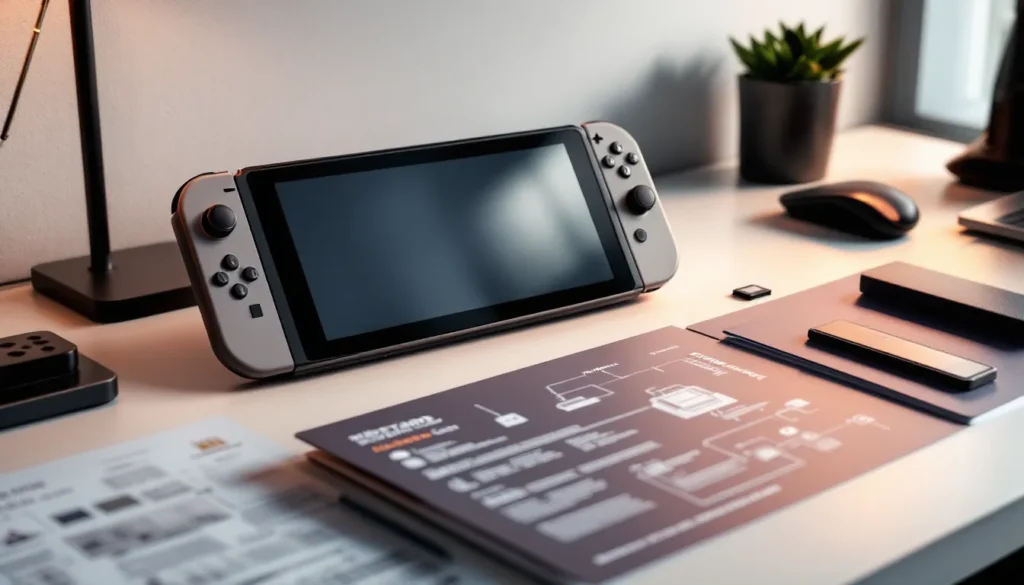
A modded Nintendo Switch is a console running custom firmware instead of, or alongside, Nintendo’s official operating system. The most common setup uses Atmosphere, a custom OS that lets your Switch run unsigned code, homebrew applications, and backed-up game files. Think of it like jailbreaking an iPhone, except Nintendo’s enforcement is generally stricter and the technical barrier is higher.
The hardware itself remains unchanged. You’re not soldering components or physically altering the console. Instead, modding exploits vulnerabilities in the Switch’s boot process, allowing you to load custom software before the official OS takes over. Most modding methods target the patched Switch models (early 2018-2020 revisions) or use specialized adapters for newer revisions, though methods evolve constantly as Nintendo patches exploits.
It’s crucial to understand: modding your Switch doesn’t instantly turn it into a piracy machine. Yes, it can run game backups, but that’s just one capability. Many modders use custom firmware solely for emulation, homebrew games, and system customization, legal uses that fall into gray areas depending on your region and how you approach them.
Why Gamers Mod Their Nintendo Switch
Custom Games and Homebrew Support
The Switch homebrew community is thriving. Developers have created everything from pixel-art adventures to competitive fighting games that never hit the eShop. Homebrew applications range from productivity tools to entirely original games. If you’ve ever wanted to play a fan-made Pokémon game, a demake of a modern title, or experimental projects that push the Switch’s capabilities, a modded console is your gateway.
Beyond games, the homebrew ecosystem offers practical tools: save editors, cheat menus for single-player games, and community-created patches for issues Nintendo never fixed. The appeal here isn’t piracy, it’s access to content that would otherwise be impossible to experience on Switch hardware.
Backup and Preservation
One of the strongest arguments for modding is game preservation. Digital storefronts shut down. Physical cartridges age. A modded Switch with backups of your legally-owned games ensures you can still play them decades from now, even if Nintendo discontinues the eShop or delists titles. This is especially relevant for indie games that disappear from digital stores or physical releases that become prohibitively expensive.
Gamers who’ve invested hundreds of dollars in their Switch libraries see modding as insurance against corporate decisions beyond their control. It’s not about circumventing DRM for free games, it’s about owning your purchases.
Enhanced Features and Customization
Modded Switches run custom themes, dashboard layouts, and system tweaks that Nintendo refuses to offer. Change your UI colors beyond the vanilla options. Customize your home screen organization. Run multiple user accounts with different game libraries. Enable features like faster load times or better portable performance through overclocking.
For some gamers, this level of customization transforms the Switch from a solid gaming device into something that feels truly theirs. It’s the same drive that makes people mod PC games or customize their gaming rigs, ownership and personalization matter.
Pre-Modding Considerations and Risks
Warranty and Legal Implications
Let’s be direct: modding your Nintendo Switch voids the warranty immediately. If something breaks and Nintendo discovers the mod, they won’t service it under any circumstances. You’re on your own for repairs.
Legally, the landscape is murkier. In the US, the Digital Millennium Copyright Act (DMCA) technically forbids circumventing copy protection mechanisms, though courts have carved out exemptions for things like emulation and preservation. Other countries have different rules. France and Europe offer broader protections for repair and modification. Japan doesn’t explicitly ban modding. Your responsibility is understanding the laws where you live, not assuming it’s safe because hobbyists do it.
The real enforcement risk isn’t police kicking down your door. It’s Nintendo banning your console from their online services. That’s well within their power, and it happens.
System Compatibility and Hardware Requirements
Not all Switches are equally moddable. The original 2017 model and early 2018 revisions have well-documented vulnerabilities that make modding straightforward using tools like Nereba or RCM exploits. The 2019 “Lite” model and newer V2 revisions are significantly harder to mod without additional hardware like modchips.
If you own a 2020 or later Switch (including OLED), modding is possible but requires either installing a modchip (permanent hardware modification) or using a dongle-based exploit like Hwfly. This adds cost and complexity. Check your console’s hardware revision before committing, it determines both feasibility and the method you’ll use.
Your console’s firmware version also matters. Some methods only work on specific firmware ranges. Before you start, verify your hardware revision and current OS version. This information determines your path forward.
Popular Modding Methods and Custom Firmware
Atmosphere and Hekate: The Gold Standard
Atmosphere is the dominant custom firmware in the Switch community. It’s open-source, actively maintained, and compatible with nearly every mod, emulator, and homebrew app you’d want to run. It prioritizes compatibility and stability over flashy features, which is exactly what you want from an OS that controls your expensive gaming device.
Hekate is the bootloader that works alongside Atmosphere, handling the initial system startup and allowing you to switch between Atmosphere and official Nintendo firmware. This dual-boot setup is the safest approach: you can run custom firmware for modding, then reboot into vanilla Nintendo OS for online play and eShop access. In 2026, this is the standard setup most serious modders recommend.
Installing Atmosphere requires either RCM exploit access (easier on unpatched models) or a modchip installation (newer models). The process itself is straightforward once you have the technical entry point, which we’ll cover in the step-by-step guide below.
SysCFW and Other Alternatives
Other custom firmwares exist, but they’re either obsolete, niche, or less reliable than Atmosphere. SysCFW was popular in earlier years but has largely been superseded. Some regional communities prefer alternatives like ReiNX, but Atmosphere’s stability and community support make it the sensible default choice in 2026.
Why mention alternatives? Because you’ll encounter them in older guides and forum posts. If you’re researching modding, you might find outdated information recommending deprecated firmwares. Stick with Atmosphere unless you have a very specific reason to deviate, and if you do, you already know enough about modding to make that choice yourself.
Step-by-Step Modding Guide
Backing Up Your System and Games
Before you modify anything, create a complete backup. This isn’t optional, it’s insurance.
- Use a microSD card (128GB or larger: UHS-II cards work best for performance)
- Copy your save files and game data from your Switch to a computer using NSP or XCI dumps through a specialized application
- Back up your console’s firmware using tools like Hekate once you’ve gained RCM access
- Document your console serial number and key information in case you ever need to unbrick it
This backup process is only possible after you’ve achieved initial access to your Switch’s bootloader, which depends on your hardware. If you have an unpatched model, you’re looking at using an RCM jig (a simple 3D-printed or metal tool, ~$5) to trigger recovery mode without opening the console. For patched models, modchip installation becomes necessary.
Installing Custom Firmware
Once you have RCM access or a modchip installed, installing Atmosphere is straightforward:
- Download Atmosphere from the official GitHub repository (always use the official source, never unofficial builds)
- Extract files to your microSD card in the root directory
- Download and extract Hekate to the same card
- Boot into RCM mode using your chosen method (jig, modchip, or dongle)
- Use a PC exploit tool (like Fusee Gelee on unpatched models) to inject Hekate payload
- Select “Launch Atmosphere” from the Hekate menu
The entire process takes roughly 30 minutes if you’re methodical. The most common failure point is using outdated or unofficial Atmosphere builds. Always grab the latest version from the official GitHub, not from random forum posts or YouTube descriptions.
After your first successful boot into Atmosphere, configure Hekate as your default bootloader. This ensures your Switch boots custom firmware automatically while preserving the option to reboot into official Nintendo firmware.
Setting Up Homebrew Applications
With Atmosphere running, installing homebrew is simple:
- Download homebrew apps from communities like GBATemp or Nexus Mods
- Extract NRO or NSP files to
/switch/or/nsp/folders on your microSD card (folder structure varies by app type) - Reboot your console
- Launch apps directly from Atmosphere’s album or through a homebrew launcher like nRO Launcher
Start with essential utilities: Tinfoil or DBI for managing installed games, EdiZon for save editing, and Emulators for retro gaming. Install one app at a time, then reboot and verify it works before adding more. This approach helps you identify problematic software quickly.
Many newer apps require additional dependencies like Skyline (for Switch game emulation) or LibNX libraries. Check each app’s GitHub page for specific requirements before installation.
Must-Have Homebrew Apps and Tools
Emulators and Game Launchers
Emulation is probably the most popular homebrew use case. A modded Switch becomes a legitimate retro gaming machine:
- Yuzu and Dolphin (for GameCube/Wii games) run respectably on Switch hardware, though expect frame drops on demanding titles
- Snes9x, Mednafen, and Genesis Plus GX handle 16-bit and earlier systems flawlessly
- Citra (Nintendo 3DS emulation) works, but with mixed results due to the Switch’s ARM architecture differences
For game launching and organization, DBI (Destination BitMap Image) or Tinfoil let you manage NSP files elegantly. Instead of hunting through a cluttered home screen, these tools organize your library by genre, console, or custom categories. It’s a quality-of-life feature that makes a modded Switch feel substantially better to use.
Note: Emulation legality depends on which games you’re running. Running emulators themselves is legal in most jurisdictions. Running copyrighted games you don’t own is not. Running your own backups of games you own exists in a gray area, it’s often permitted for preservation but technically violates most software EULAs.
File Management and System Utilities
Beyond games and emulators, several utilities transform how you interact with your modded Switch:
- Nand Backup Manager: Automated backups of your console’s internal storage
- Overlays and CheatCode Manager: Real-time cheats for single-player games without modifying game files
- Theme engine customization: Change your UI colors, wallpapers, and layout beyond Nintendo’s limited options
- Save file editors: Modify game saves directly (useful for speedrun practice or testing builds)
Install these gradually. Each additional app consumes microSD space and can occasionally conflict with others. Stick to essential utilities and well-maintained projects from reputable developers. Abandoned or sketchy applications are how people brick their consoles.
Online Safety and Ban Prevention
How Nintendo Detects Modded Consoles
Nintendo’s anti-piracy detection is sophisticated. They monitor several factors:
- Telemetry data: Your console sends information to Nintendo’s servers automatically. Certain flags indicate custom firmware
- Anomalous behavior: Running unsigned code, accessing system functions that legitimate software shouldn’t touch, or abnormal play patterns
- Ban waves: Nintendo doesn’t ban every modded console immediately. They conduct periodic sweeps, banning thousands of accounts at once
The detection isn’t perfect. Plenty of modded consoles go undetected indefinitely, especially if owners avoid obvious triggers like playing pirated games online. But the risk is always present, and it’s increasing as Nintendo refines their detection methods.
Best Practices to Avoid Bans
If you want to minimize ban risk, follow these guidelines:
- Keep a separate user account for modding and legitimate gaming. Use one account exclusively for custom firmware and homebrew, another for official eShop purchases and online play
- Never play pirated games online. The moment you connect to Nintendo’s servers with unsigned software running, you’re flagged. Offline-only is dramatically safer
- Avoid obvious mod indicators: Don’t modify your console’s serial number, spoof game ownership, or use cheats in ranked online multiplayer
- Use Atmosphere’s cleaner function before booting into official Nintendo firmware for online sessions. This removes temporary files that might trigger detection
- Don’t brag about it online: Screenshots, videos, or social media posts identifying your modded console by serial number can attract Nintendo’s attention
- Keep your microSD card clean: Regularly audit your installed apps and remove unused software. Abandoned or malicious homebrew increases risk
Most importantly: understand that modding carries inherent risk. Ban waves happen. If your console gets banned and you lose access to the eShop and online multiplayer, you accepted that possibility when you installed custom firmware. Plan accordingly.
For preservation and offline play, risk is minimal. For online multiplayer on pirated software, bans are nearly inevitable eventually. The tolerance zone is somewhere in between, depending on how cautiously you operate.
Conclusion
Modding a Nintendo Switch in 2026 is more accessible and safer than ever, but it’s not consequence-free. You gain significant capabilities, homebrew games, emulation, customization, and game preservation, but you sacrifice warranty coverage and accept some ban risk.
The decision eventually depends on your priorities. If you want to play pirated games online, don’t mod your console: the ban is nearly inevitable. If you’re interested in homebrew, emulation, or offline preservation, modding can be worthwhile, just follow the safety practices outlined above.
Whichever path you choose, do your research. The modding community (communities like Nintendo Life and forums on Nexus Mods) provides excellent resources. Stay current on detection methods and security updates. Tools and exploits change frequently: yesterday’s best practices might be obsolete next year.
If you do decide to mod, use Atmosphere and Hekate. They’re the safest, most stable option available. Install from official sources only. Back up everything. And remember: your modded Switch is yours to customize, but Nintendo’s terms of service are still their territory.