

Table of Contents
ToggleRocket League on Nintendo Switch has evolved into a legitimate competitive platform, and whether you’re picking it up for the first time or climbing ranked, the portable powerhouse brings unique advantages and challenges. The 2024 free-to-play shift removed financial barriers, but Switch players still grapple with performance trade-offs that PC and console competitors don’t face. This guide cuts through the noise and gives you the exact mechanics, settings, and strategies to hold your own in cross-platform matches. From controller setup to advanced rotations, you’ll find the practical knowledge that translates directly into wins.
Key Takeaways
- Rocket League on Nintendo Switch runs at 60 FPS with full cross-platform play, requiring tighter timing windows than PC but remaining fully competitive with proper setup and docking.
- The free-to-play model eliminates entry barriers, and cosmetics are purely visual—a default Octane is mechanically identical to expensive painted variants, making skill and rotation the only pay-to-win elements.
- Dock your Switch for ranked play, remap controls (boost to RB, air-roll to LB), and use a wired controller to minimize input lag and optimize competitive performance.
- Master rotational fundamentals—positioning 30-50 units from your goal, rotating counterclockwise, and anticipating plays—which compensate for Switch’s frame-rate limitations better than mechanical flashiness.
- Dedicate 30 minutes daily to freeplay drills (aerials, dribbles, kickoffs) before ranked matches, as consistent deliberate practice outperforms casual grinding and compounds into climbing faster.
- Maintain mental discipline by enforcing a three-match stop rule after two losses, muting all chat, and reviewing replays weekly—discipline and consistency separate climbers from stalled players on any platform.
What You Need To Know About Rocket League On Switch
Rocket League Switch offers full cross-platform play, meaning you’ll face players from PC, PlayStation, and Xbox in the same ranked queues. That’s the dream for accessibility but the reality check for performance. The Switch runs the game at 1080p docked and 720p handheld, capped at 60 FPS, which is playable but demands tighter timing windows than the 144+ FPS veterans on PC enjoy. Lag compensation helps level the field, but every frame counts in high-level play.
System Requirements And Performance
The Nintendo Switch doesn’t have demanding specs in the traditional sense, it’s what it is hardware-wise. You’ll need about 11 GB of storage space after initial installation. The game runs adequately on standard Switch units and the Switch OLED model, though the OLED’s brighter screen offers a competitive edge in visibility. Handheld mode caps at 60 FPS like docked play, but the smaller screen actually increases input lag perception due to reduced visual real estate.
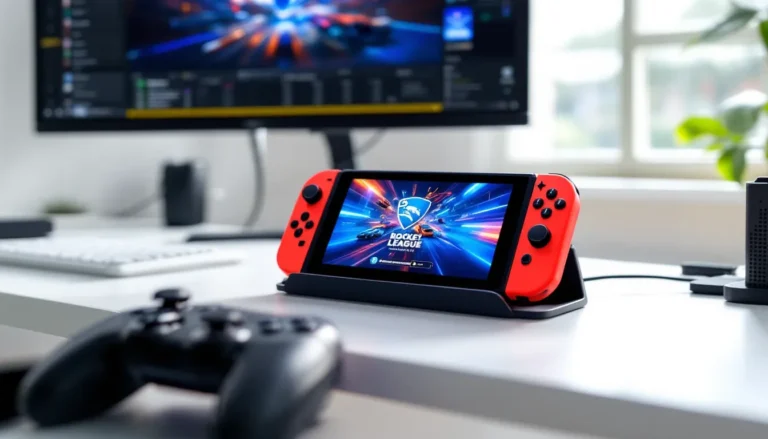
Docking mode is the go-to for ranked play. The larger screen and external controller connection reduce input lag compared to handheld. If you’re climbing competitive ranks, dock your Switch and use a wired controller or a controller with minimal latency. Wireless controllers work fine for casual play, but pro players notice the difference.
One critical detail: Switch servers have separate matchmaking pools during peak hours in some regions, but cross-play is enabled by default. You can’t disable it, so expect competition from all platforms. This matters because even a slight performance advantage matters in Diamond and above.
Free-To-Play Model And Battle Pass Structure
Rocket League transitioned to free-to-play in September 2024, removing the $20 entry fee. That meant a flood of new players, some genuinely skilled, others learning. The current season operates on a paid Battle Pass system ($10 per season, typically lasting 10-12 weeks) with cosmetic rewards, not gameplay advantages.
The free tier gives you seasonal challenges and basic rewards. Paid battle passes include rare car designs, goal explosions, and trail effects. Nothing gameplay-relevant, just cosmetics. You can earn in-game currency (Credits) through the battle pass or microtransactions. New players often ask if paying helps you win. The answer: absolutely not. A free-to-play player in a default Octane can beat a $200 cosmetic collector. Loadout choice matters mechanically: cosmetics don’t.
Battle pass completion requires seasonal wins and challenges. A casual player grinding 10 hours weekly can finish the pass by season’s end. Competitive players finish in 4-5 weeks. The season structure keeps the meta fresh and rewards consistent play, no pay-to-win mechanics exist in Rocket League’s design.
Getting Started: Installation And Setup
Downloading And Installing The Game
Rocket League is free through the Nintendo eShop. Search “Rocket League” in the eShop on your Switch, tap the download button, and wait. Initial download sits around 11-12 GB depending on updates. On WiFi with typical home internet (50+ Mbps), you’re looking at 10-15 minutes. Switch to wired connection via an Ethernet adapter if available, it’s not mandatory but reduces network instability during crucial matches.
Once installed, launch the game and you’ll hit the login screen. The game runs smooth on standard Switch hardware: no optimization tricks needed. After launch, the game checks for patches, Psyonix typically drops balance updates monthly, hotfixes as needed. You’ll see patch notes in-game: reading them matters if you play ranked because meta shifts ripple across all platforms.
Storage matters. Keep at least 15 GB free on your Switch for the base game plus future updates. Rocket League receives seasonal updates that add cosmetics and balance changes, expanding the installation size over time. If you’re running tight on storage, delete less-used titles or grab a microSD card.
Creating Your Epic Account And Linking Progress
You must create or link an Epic Games account to play. This is non-negotiable, it’s how Psyonix manages player identity across platforms. Launch the game, and it’ll prompt you to link or create an Epic account. Use an email you actually check: you’ll need it for account recovery and security.
Once linked, your progress syncs across platforms. Play Rocket League on your PC, then hop on Switch, your MMR, ranks, cosmetics, and seasonal progress all transfer. This cross-progression system is seamless and a major strength of the modern Rocket League ecosystem.
Link your account cautiously. Epic enforces strict account security because your cosmetics and seasonal progress live there. Enable two-factor authentication through the Epic Games website. This takes five minutes and prevents account theft, which unfortunately happens to careless players.
One final step: in Rocket League settings (accessed during gameplay, not the Switch menu), confirm your platform is set correctly and your region matches your intended server. Rocket League players in different regions experience different matchmaking, ping, and seasonal rollout timing. US East and EU West are the most popular ranked regions.
Essential Controls And Settings For Switch
Optimal Controller Configuration
Your controller setup makes or breaks your gameplay. Pro Switch players use the Pro Controller or third-party alternatives like 8BitDo, not Joy-Cons (which work but sacrifice precision). Joy-Cons have narrower stick range and higher stick drift issues, avoid them for ranked play if possible.
The default control scheme works, but professionals rebind keys for faster reaction times. Here’s the competitive standard:
- Boost: Right bumper (RB) instead of the default Y. This keeps your thumb near movement sticks.
- Jump: A button (default). Don’t change this.
- Power-Slide/Air-Roll: Left bumper (LB). This enables simultaneous air-rolling and directional input, essential for aerials.
- Reverse: RT trigger, default setting.
- Handbrake: Left trigger (LT), this doubles as power-slide when rolling.
Toggle “Air Roll Left” and “Air Roll Right” to ZL and ZR respectively if you’re an advanced player. This allows directional air-rolls without holding down LB, granting finer control mid-air. Casual players skip this: competitive players swear by it.
Sensitivity settings vary per player, but start at 1.10 – 1.20 for stick sensitivity. This isn’t slow, it’s responsive without overshooting. Lower sensitivity (0.90) helps defense positioning: higher (1.40+) accelerates offensive reads. Test in freeplay for 10 minutes before ranked.
Deadzone sits at 0.05–0.10 by default. Tighten it to 0.05 if your controller supports it. Smaller deadzone means your stick input registers faster, but too tight (0.02) causes stick drift to register as input. Balance precision with stability.
Video And Audio Settings For Competitive Play
Video settings on Switch are straightforward since you can’t crank resolution like on PC. Leave resolution at maximum (1080p docked). Motion blur off, it clouds your visual tracking. Disable lens distortion. These aren’t taxing graphically: they just clutter your view.
Brightness matters. Set it to 100 in-game and adjust your TV brightness separately. A brighter image lets you spot the ball earlier and read field positioning faster. Many Switch players miss easy reads because they’re playing in a dim room.
Vsync should stay on (default), it prevents screen tearing, which causes false input perception. Uncapping it introduces stutter on 60 FPS hardware anyway, so leave it.
Audio settings: Master volume at 100%, but lower SFX volume slightly if in-game sounds distract you. Some players mute chat audio entirely to avoid tilt. Keep music at 10-20%, it’s atmospheric but shouldn’t interfere with callout focus. Use headphones for ranked play. You’ll hear boost exhaust timing, ball contact cues, and enemy movements way clearer than speakers, which is a legitimate competitive advantage.
Controller vibration is personal preference. Some players disable it to reduce stick drift wear: competitive players keep it for subtle feedback cues. If you’re worried about controller longevity, disable haptics, it won’t hurt your game.
Mastering Core Gameplay Mechanics
Aerial Mechanics And Boost Management
Aerials separate casual from competitive players. The mechanic is simple: jump mid-air (double jump) while rotating your car toward the ball to make contact above ground. The trick is timing and boost conservation.
Double jumping isn’t a free skill flight, you get one jump on the ground, one airborne. Use the first jump to leave the ground, then instantly tap jump again mid-air to extend height and angle. This eats boost if you’re rotating hard, so practice boost timing in free play before ranked.
Boost management is the hidden skill. You spawn with 33 boost. Pad pickups grant 12 (small) or 100 (full). Never waste boost on redundant movements. A common mistake: boost into a jump. That’s inefficient. Jump first, boost second. Similarly, don’t full-boost small adjustments: tap it. Small boosts of 5-10 units matter more than you think.
Mid-field aerials (60-80 unit height) are bread-and-butter. These put pressure without wasting 100 boost. Full-court aerials (100+ height) are flashy but situational. Use them when the ball’s moving away from net, not when your teammate’s rotating in.
One critical detail: air-rolling while boosting costs more fuel than straight flying. That’s why pros chain power-slides into air-rolls, it rotates the car without constant boost drain. Practice this in freeplay: drive toward the wall, power-slide at 45 degrees, tap air-roll to align, then gentle boost corrections. It sounds complex: it’s actually muscle memory after 20 minutes of reps.
Defense Positioning And Rotations
Defense wins championships, and rotation is the engine. Three players, one ball, infinite positioning mistakes. The system is simple: player 1 challenges the ball, player 2 midfield supports, player 3 backfield clears. When player 1 clears, player 2 becomes player 1, player 3 becomes player 2, and the old player 1 slides back. This is rotation.
Switch players often over-challenge (hitting the ball when they shouldn’t) because docked play feels responsive but has subtle input lag. Wait a fraction longer before committing to a challenge. This teaches patience and prevents wasted boost on predictable plays.
Backfield positioning: stay 30-50 units from your goal (roughly one car length). This gives you reaction time for incoming shots. Going deeper (in goal) is a rookie mistake, you’re burned if the ball bounces. Going shallower (too far out) means you’re not actually defending. Thirty to fifty units is the sweet spot.
Rotation direction matters in 3v3. Rotate counterclockwise (left side of the field, then behind goal, then right side back toward midfield). This flow prevents traffic jams. Breaking rotation to chase the ball is tempting but causes whiffs. Trust your rotation, even when frustrated.
One Switch-specific tip: the frame rate cap at 60 means you’ll react slower to sudden direction changes than PC players. Offset this by anticipating rotation timing earlier. Pre-move toward where the ball’s going, not where it is. This habit compounds and elevates your defense massively.
Offensive Strategies And Goal-Scoring Techniques
Offense is intuitive (hit ball at goal) until it isn’t. High-level Rocket League is about creating space and forcing errors, not just shooting.
The dribble is your primary tool. Stay with the ball for 2-3 seconds, accelerating toward the opponent goal. This forces defenders to challenge early, creating passing lanes. Dribbling at midfield draws three enemies, leaving space for a teammate to rotate in. You don’t always shoot: you manipulate.
Aerials for goal-scoring happen differently than challenge aerials. Set it up: your teammate passes to midfield, ball’s at 30-40 unit height, you’re 20 units away, accelerating. Aerial into it, angle your nose, boost on contact. That’s a power shot. Flick your stick downward mid-air to angle aggressively without overshooting.
The flip reset (advanced): drive up the wall, land on the ball, and your jumps reset. This lets you double-jump mid-air when the ball’s within one car-length. It sounds extreme: it’s genuinely useful after Bronze ranks. Practice it in freeplay, land on the ball smoothly, then air-roll into your shot.
Kickoff mechanics decide games early. Standard play: full boost toward the ball, jump at the last moment to flip into it. Flip away from the most dangerous opponent. Kickoff wins accumulate: losing 70% of kickoffs kills your winrate. Spend 5 minutes daily in freeplay perfecting kickoffs.
One tactical note: Switch players benefit from simpler offensive patterns early. Avoid flip resets and ceiling shots until you’re Plat+. The input lag makes consistency harder, and mechanics overload kills fundamentals. Solid dribbling and standard aerials win more games than flashy 1% plays.
Cross-Platform Play: Competing Against PC And Console Players
Advantages And Disadvantages Of Switch As A Platform
Let’s be real: Switch has disadvantages. Sixty frames per second versus 144+ FPS on PC means a perceptible latency. That extra ~80ms of input delay compounds across hundreds of touches. You’ll notice it most in tight defensive plays where timing’s everything.
Visual fidelity is weaker too. Shadows, particle effects, and draw distance reduce slightly on Switch. This affects ball visibility mid-air, sometimes the ball hides in post shadows longer than on other platforms. It’s a genuine disadvantage that costs goals occasionally.
But, Switch has unexpected strengths. Handheld mode, even though higher latency, lets you play anywhere. Casual matchmaking is kinder to Switch players: the game’s Elo system acknowledges platform differences and adjusts matchmaking slightly. You won’t be crushed by smurfs as frequently.
Portability is underrated competitively. Playing on the go keeps your mechanics sharp without grinding hours at a desktop. Many semi-pro Switch players maintain Diamond+ ranks through 30-minute handheld sessions daily. That consistency beats sporadic PC sessions.
The psychological edge: playing on Switch forces precision and confidence. PC players with higher frame rates can make reactive corrections: you must commit earlier. This breeds clutch gameplay instincts. Switch players often perform better under pressure than their PC equivalents because they’ve trained stricter timing windows.
Bridging The Performance Gap In Ranked Matches
You can’t remove the hardware gap, but you can minimize it. First, always dock your Switch for ranked play. That 60 FPS on a 60Hz display is stable: handheld mode adds micro-stutters that aren’t worth the convenience.
Second, understand lag compensation. Psyonix’s servers account for platform differences in their tickrate algorithm. You’re not invisible-ball grinding into other players, you’re being matched with similar-ranked peers. Lag compensation is sophisticated: bad players still lose on any platform.
Third, practice high-difficulty mechanics in freeplay heavily. What’s “easy” on PC (like precise ceiling shots) becomes 20% harder on Switch. You’ll land it twice for every three attempts a PC player makes. Compensate by drilling mechanics until they’re automatic. Muscle memory doesn’t care about frame rates.
Fourth, optimize your network. Use Ethernet if possible. Even a stable WiFi connection introduces 10-20ms of random ping variance. Ethernet eliminates that. This single change compounds into noticeable improvements in your responsiveness.
Fifth, watch replays of your mistakes and compare them to pro players on other platforms. You’ll see the differences in timing aren’t skill, they’re frame-rate adjusted. Seeing this reality reduces tilt and keeps you confident.
One surprising fact: according to Polygon’s coverage of cross-platform gaming, portable players sometimes perform better in clutch moments due to psychological familiarity with their hardware. The pressure to perform optimally under constraints breeds sharper decision-making.
Ranking System And Competitive Progression
Understanding Ranks And Rating Points
Rocket League uses a tier-based ranking system: Bronze (3 divisions), Silver (3), Gold (3), Platinum (3), Diamond (3), Champion (3), Grand Champion (3), and Supersonic Legend (unlimited). Each rank past Champion grants Elo-style rating points instead of a static tier.
Within each rank are three divisions: Division 1 (lowest), 2, and 3 (highest). You progress by earning Elo points per win, lose them per loss. Elo gain/loss adjusts based on opponent rank. Beating someone Platinum 2 while you’re Platinum 1 grants small Elo (~12 points). Beating a Diamond 1 grants massive Elo (~40 points).
One critical detail: game length doesn’t matter for Elo. A 5-minute stomp grants the same Elo as a 5-overtime thriller. Nor does individual performance. You get points for the team result, not KDA or goals scored. This system rewards consistency and decision-making over flashy plays. A passing-focused player climbs faster than a 20-goal-per-game chaser with 40 own-goals.
Ranked seasons reset every 10-12 weeks. Your rank resets partially, roughly 70% of your previous Elo carries over. This prevents infinite MMR compression and forces seasonal requalification. It’s fair: even if you hit GC last season, you’re battling up from mid-Champion next season.
Switch-specific note: many players misunderstand cross-platform Elo. Your rank is unified across platforms. If you’re Diamond 2 on Switch, you’re Diamond 2 if you log into PC, same Elo. This unified system is elegant but means you can’t smurf by switching platforms. Your rating follows you.
Tips For Climbing The Competitive Ladder
Climbing works differently depending on your rank. Bronze through Gold is mechanical execution, learn aerial basics, rotate passably, and you’ll reach Gold easily. Platinum is where game sense kicks in: you stop chasing the ball and start reading plays. Diamond+ requires both plus decision-making speed.
For Switch players starting ranked: play 1v1 matches in casual first. You’ll tank your rank doing this, but 1v1 forces every mechanic and eliminates rotation excuses. Spend 10 hours in 1v1 casual, learn boost management, and you’ll skip Silver entirely.
Second, playlist selection matters. 2v2 is more mechanical: 3v3 is rotational. Pick based on your strength. Mechanical players climb via 2v2: game-sense players via 3v3. You don’t climb faster in one, you climb more reliably in your sweet spot.
Third, grief-proof your mental. Rocket League’s ranked is frustrating. Losing streaks happen. Toxicity happens. One solution: mute all chat. Seriously. In your settings, disable opponent chat. You’ll miss nothing valuable: opponent psychology is noise. Save chat for teammates only, and even then, keep it positive. Morale wins games.
Fourth, 3-match rule: play no more than three ranked matches in a session. Lose two in a row? Stop. Your mentality’s spiraling, and continuing costs more Elo than it gains. Take a break, play casual, reset. Pros enforce this religiously. It feels like quitting: it’s actually winning.
Fifth, VOD review. Save replays of losses. Watch them once per week, identifying what you could’ve done differently. Ego loves blaming teammates: you control your rotation, challenge timing, and boost usage. Fix those, and wins accumulate.
One advanced tip: play during off-peak hours when possible. 3 AM ranked matches feature fewer smurfs and more grinders. You’ll face better-intentioned players, less toxicity, and learn faster. Stupid but true.
Building Your Loadout: Cars, Decals, And Cosmetics
Choosing The Best Car For Your Playstyle
Car hitbox is what matters mechanically, not the visual model. Rocket League uses five hitbox types: Octane (medium, 2x3x1 unit dimensions), Dominus (long, 2x4x0.8), Breakout (wide, 2x2x1.5), Plank (compact, 1.6x2x1), and Hybrid (balanced, 1.8×2.5×1.1). Your visual car doesn’t matter: its hitbox does.
Octane dominates competitive play. It’s symmetrical, forgiving, and the hitbox matches player expectation. 60% of GC players use it. Default recommendation: start here. You won’t feel at a disadvantage, and you’ll have time to learn before experimenting.
Dominus suits aggressive players. Its length (forwards/backwards reach) advantages goal-scoring and long-range aerials. Downsides: it’s narrower side-to-side, making tight wall plays harder. Switch players especially struggle with Dominus because the narrow hitbox on 60 FPS feels inconsistent. Avoid until Plat.
Breakout is niche. Wide car for dribbling-focused players. Most players skip it: those who main it swear by it. Not recommended for learners.
Plank (Psyonix is weird with naming) is compact. Good for tight corner plays, bad for goal-line defense. Viable but not beginner-friendly.
Hybrid is genuinely balanced. If you hate committing to a choice, use it. Nothing exceptional, nothing bad.
Pro tip: hitbox psychology matters more than theory. Pick Octane, learn it inside-out for 100 hours, then experiment. Switching cars after 5 hours confuses your muscle memory. Consistency beats optimization early on.
Obtaining Items Through The Battle Pass And Item Shop
Cosmetics come from two sources: the Battle Pass and the Item Shop. The Battle Pass is structured and predictable. Complete seasonal challenges (tied to wins, goals, and playtime) and advance through 70+ tiers. Each tier grants cosmetics. Paid pass (Tier 70+) includes premium items: free pass is solid for base players.
Item Shop rotates daily with 12-16 items, priced $2-8 each. You buy them with Credits (Rocket League’s premium currency). Prices are fixed, no loot boxes, no random mechanics. You see the item, you buy it or don’t. Prices are steep (a car costs $8), but no gambling.
New players ask: is buying cosmetics worth it? Honest answer: not competitively. Cosmetics are purely personal expression. A default Octane in white base coat is identical mechanically to a $50 painted exotic. Spend if you enjoy aesthetics: don’t if you’re budget-conscious.
Tradeable items exist but are rare. Most battle pass items aren’t tradeable (they’re account-locked). Seasonal items sometimes become tradeable after the season ends, but don’t count on it.
One financial note: the battle pass is $10 per season, but top-tier rewards sometimes include Credits back. If you pay once, complete the pass perfectly, and invest the refunded Credits into next season, you break even long-term. Many competitive players do exactly this.
Free players lose nothing mechanically. Your default Octane and basic decal are fully competitive. The cosmetics-only model is genuinely fair: Psyonix avoids gameplay-affecting monetization.
Common Mistakes Switch Players Make And How To Avoid Them
Mistake 1: Assuming Performance Equals Skill Ceiling. “I’ll never hit GC on Switch,” players say. False. GC players exist on every platform, Switch included. The ceiling’s your dedication, not your hardware. PC players don’t play harder, they play with more room for error. Offset that with stricter mechanics, and you’ll climb identically.
Mistake 2: Playing Handheld for Ranked. Handheld is convenient but introduces input lag. One serious player we know (who improved from Diamond 1 to Champion in one season) switched to exclusively docked play and gained ~50 Elo instantly. Just from docking. The convenience isn’t worth ranking.
Mistake 3: Never Practicing Freeplay. Casual matches feel productive, you’re winning/losing, gaining experience. Freeplay feels pointless. It isn’t. Thirty minutes of freeplay (aerials, dribbles, kickoffs) compounds into better play than three casual matches. Pros spend 25% of playtime in freeplay. Copy them.
Mistake 4: Ignoring Rotation Because Mechanics Feel Slower. Some Switch players overcompensate by playing selfish ball-chase. “My hardware’s slow, so I need to be aggressive,” they think. Actually, slower frame rates reward better rotation even more. You can’t react as fast: you must anticipate. Rotation = anticipation. Learn it.
Mistake 5: Keeping Default Settings. The button remapping section earlier wasn’t optional advice, it’s baseline for ranked. Playing with default controls on Switch is like driving with the parking brake on. You’re hamstringing yourself. Spend 15 minutes remapping and 10 hours adjusting. It’s the single best ranked investment.
Mistake 6: Switching Cars Every Week. Mechanical consistency matters more than optimized hitboxes. Play Octane for 100 hours. Then experiment if curious. Switching every week is ego rot, you want to blame the car instead of improving.
Mistake 7: Chasing the Ball Instead of Positioning. Ball-chasing is tempting because it feels active. You’re moving, you’re “doing something.” In reality, you’re wasting rotations and creating defensive chaos. Watch a 2v2 Diamond match: one team ball-chases, one rotates. The rotating team wins 80% of the time. Position beats activity.
Mistake 8: Ignoring Advanced Mechanics Until You’re Ready. Flip resets, ceiling shots, and air-roll left/right are cool. They’re also useless until Champion rank. Learn them in order: aerials → dribbles → power-slides → air-rolls → flip resets. Skip steps and you’ll fail harder.
One tactical mistake unique to Switch: playing during lag spikes (usually 6-10 PM peak hours). Play 3-10 AM when servers are quieter and ping is cleaner. Counterintuitive but effective.
Conclusion
Rocket League on Nintendo Switch is harder than it is on PC, but “harder” isn’t “impossible.” The platform difference is real, 60 FPS, input lag, visual clarity gaps, but thousands of players hit Champion and Grand Champion annually on Switch alone.
Your advantage as a Switch player is forced precision. You can’t be sloppy and succeed. Every boost counts, every rotation decision matters, and clutch timing gets sharper faster. PC players with 144 FPS can hide mechanical gaps: you can’t. That’s actually valuable once you accept it.
Start with the fundamentals: dock your Switch, remap your controls, hit freeplay before ranked, and rotate obsessively. Learn one car inside-out. Mute chat. Play during off-peak hours. Grind 1v1 casual. These aren’t glamorous, but they’re compounding.
You’ll hit Diamond within 300 hours of focused play. Champion takes another 500. Grand Champion? 1000+ total, but achievable. The path’s clear: execution’s the only variable you control. Skip excuses, embrace the hardware constraints, and climb. Switch players who succeed aren’t more talented, they’re more disciplined. That’s enough.