


Table of Contents
ToggleIf you own a Nintendo Switch, you’ve probably seen that 20-character alphanumeric code somewhere on your console, but have you ever wondered what it actually does? Your Nintendo Switch serial number is more than just a random string of characters, it’s your console’s digital fingerprint, crucial for warranty claims, theft prevention, and Nintendo support. Whether you’re protecting your investment, troubleshooting an issue, or verifying that your Switch is authentic, understanding your serial number is essential. In this guide, you’ll learn exactly where to find it, why it matters, and how to use it effectively.
Key Takeaways
- Your Nintendo Switch serial number is a unique 20-character identifier essential for warranty claims, theft prevention, and proving ownership of your device.
- Find your serial number in three ways: on the back of your dock or console’s underside, through your Switch’s System Settings, or via your registered Nintendo Account on the official website.
- The serial number format reveals your console model and hardware revision—the first three characters indicate region and revision, helping you identify which version you own and whether known issues apply to your unit.
- Verify a secondhand Nintendo Switch’s authenticity by attempting to register it on your Nintendo Account; if registration fails, the serial number is likely counterfeit or already linked to another account.
- Protect your investment by documenting your serial number in multiple places (screenshot, receipt storage, cloud backup) and immediately deactivating your account remotely if your Switch is lost or stolen.
- Nintendo requires your serial number for warranty verification, support claims, and hardware repairs—providing it upfront significantly speeds up the entire process.
What Is A Nintendo Switch Serial Number?
Your Nintendo Switch serial number is a unique identifier assigned to your specific console during manufacturing. Think of it like a fingerprint for your device, no two Switches share the same number. This 20-character code contains encoded information about your console’s production batch, manufacturing date, hardware revision, and region. It’s different from your console’s MAC address (used for network connections) or your Nintendo Account ID, and it’s permanent, you can’t change it or generate a new one.
The serial number format typically looks something like this: XAW10012345678901234. The first three characters denote the console’s region and revision, while the remaining characters identify the specific unit. Nintendo uses these numbers to track products, manage recalls, and authenticate hardware. If you’ve ever dealt with customer support or attempted a warranty claim, Nintendo’s first request is almost always your serial number.
Where To Find Your Nintendo Switch Serial Number
Finding your serial number is straightforward once you know where to look. There are three primary methods, and depending on your situation, one might be easier than the others.
Physical Location On Your Console
The easiest way to find your serial number is on the console itself. Your Switch has the number printed in two locations:
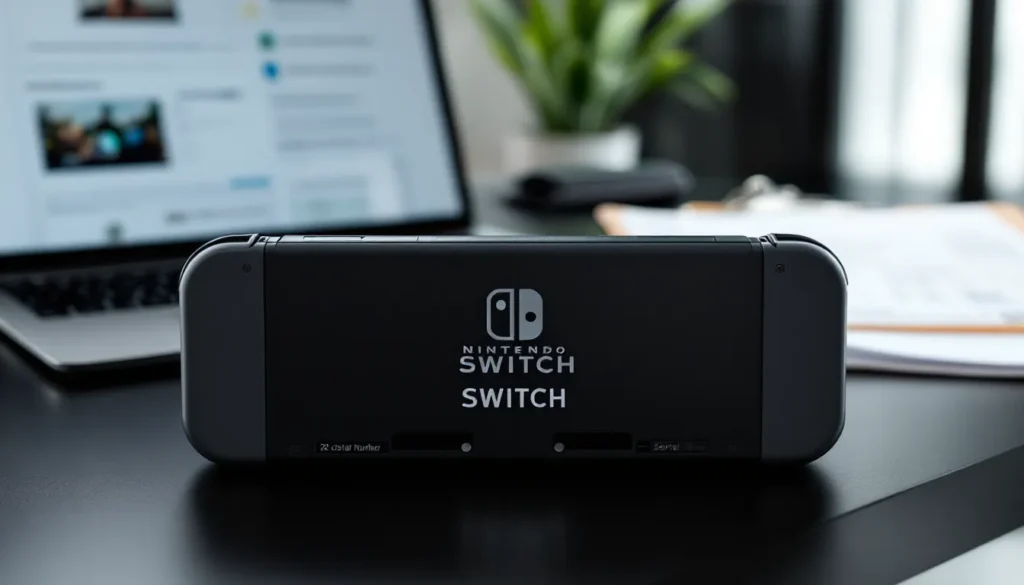
On the back of the dock: Lift your Switch out of the dock and flip it around. You’ll see the serial number etched or printed on the back panel.
On the console’s bottom: If you remove the console from the dock entirely, flip it over. The serial number is also printed on the underside of the Switch unit, typically near the USB-C port or on the frame.
You can also find it on the original retail box if you kept the packaging. Check the box’s bottom or sides for the barcode sticker and product information label.
Finding It Through Your Switch Settings
If your physical console is damaged or the printing is worn, you can pull your serial number directly from your Switch’s system settings:
- Power on your console and navigate to System Settings (the gear icon)
- Scroll down and select System
- Look for Serial Number in the list
- Your 20-character code will be displayed right there
This method works on all Switch models: the original Switch, Switch Lite, and Switch OLED.
Checking Your Serial Number On Nintendo’s Website
If you’ve registered your console with a Nintendo Account, you can view your serial number on the official Nintendo website:
- Visit the Nintendo Account website and log in
- Navigate to your Account Settings
- Select Devices or Nintendo Switch Devices
- Your registered Switch will display its serial number along with purchase date and registered user information
This option only works if you’ve previously registered your device with Nintendo. If you haven’t, registering takes just a few minutes and is worth doing for warranty protection.
Why Your Serial Number Matters
Your serial number isn’t just administrative, it has real practical implications for ownership, support, and protection.
Warranty Registration And Support
Nintendo’s warranty coverage is tied to your serial number. When you register your Switch with a Nintendo Account, Nintendo records your serial number and links it to your profile. If something goes wrong with your hardware and you contact Nintendo Support, they’ll verify your serial number to confirm you own the device and determine if it’s still under warranty.
Without your serial number, Nintendo can’t process replacement requests, warranty claims, or repair services. If your Switch needs repairs, having your serial number documented makes the entire process faster and smoother. Many gamers who’ve had to send in consoles for Joy-Con drifts or other issues report that providing the serial number upfront significantly reduced wait times.
Identifying Your Console Model And Revision
The serial number encodes specific information about your console’s hardware revision. The first few characters tell you which model you own: original Switch, Switch Lite, or Switch OLED. More importantly, it can indicate which hardware revision your console has. This matters because earlier revisions of the original Switch are more prone to certain issues (like Joy-Con drift), while later revisions include hardware improvements.
If you’re checking online forums or looking for troubleshooting advice specific to your model, your serial number can help determine exactly which version you have. This is especially useful for understanding whether a known issue applies to your particular unit.
Preventing Theft And Unauthorized Use
Your serial number is your proof of ownership. If your Switch is stolen or lost, the serial number is what you’ll provide to local authorities and Nintendo to help track it down. Some gamers engrave their serial number in a secure place or keep a photo of it for this exact reason.
While someone who steals your Switch can’t easily change the serial number, they could potentially use the device if they don’t have the password for the primary account. Having documentation of your serial number strengthens your case if you need to prove ownership to law enforcement or recover your account.
How To Verify Your Serial Number Is Legitimate
If you’re buying a used Switch or received one as a gift, verifying that the serial number is legitimate gives you confidence that you’re not dealing with a counterfeit or recalled unit.
Understanding Serial Number Format And Structure
A legitimate Nintendo Switch serial number follows a specific format. All valid serial numbers are exactly 20 characters long and consist of:
- First 3 characters: Region and model code (e.g., XAW for North American Switch, XKJ for Japanese models)
- Remaining 17 characters: Manufacturing batch and unique identifier (mix of letters and numbers)
If the serial number you’re looking at is shorter than 20 characters, has unusual symbols, or doesn’t start with recognized region codes, it’s likely not authentic. Counterfeit Switches are rare but do exist, especially in the secondhand market.
Region codes you’ll typically see:
- XAW: Original Switch (North America)
- XKJ: Original Switch (Japan)
- XEU: Original Switch (Europe)
- YXA: Switch Lite (North America)
- XBG: Switch OLED (varies by region)
Checking Authenticity With Nintendo
Nintendo doesn’t provide a public serial number lookup tool, but you can verify authenticity by attempting to register the device on your Nintendo Account. If the serial number is legitimate and not already linked to another account, registration will succeed. If the serial number is invalid or already registered to someone else, you’ll get an error message.
For a secondhand purchase, ask the seller to remove the device from their Nintendo Account before completing the transaction. Once the console is unregistered, you can attempt to register it with your own account. If registration fails, the serial number is likely counterfeit. You can also contact Nintendo Support directly with the serial number and ask them to verify it, though this process may take a few days.
Common Issues And Troubleshooting
Sometimes your serial number isn’t visible or you run into issues retrieving it when you need it. Here’s how to handle those situations.
Serial Number Not Visible Or Damaged
If the printing on your console is worn, scratched, or illegible, you have reliable backup options:
Access it through Settings: This is your best bet. The digital version in your Switch’s system settings is always readable and won’t degrade over time.
Check your original receipt or invoice: If you kept your purchase documentation, the serial number might be recorded there.
Contact Nintendo Support: If you’ve lost the device entirely and can’t access any of these options, Nintendo’s customer service can look up your console in their system if you provide your Nintendo Account information.
Look at the box or documentation: If you still have the original packaging, check the barcode label on the bottom of the box.
The key takeaway: always screenshot or write down your serial number somewhere safe (cloud storage, password manager, physical notebook). This takes 30 seconds and saves massive headaches later.
Warranty Claims And Serial Number Verification
When you attempt a warranty claim, Nintendo will cross-reference your serial number against their manufacturing records to confirm when your console was produced and whether it falls within the warranty period. Standard Nintendo Switch hardware comes with a one-year limited warranty from the date of purchase.
If you can’t provide the serial number, warranty claims become complicated. Nintendo might ask for additional proof of purchase (original receipt with date), but the serial number streamlines everything. Make sure your serial number matches the console you’re claiming for, attempting to claim warranty on a device using someone else’s serial number will immediately flag the claim as invalid.
What To Do If Your Switch Is Lost Or Stolen
Losing your Switch or having it stolen is frustrating, but your serial number is crucial for recovery and protection.
File a police report: Contact local law enforcement and provide your serial number. Include details like where and when it was lost or stolen. The serial number helps police identify your specific device if it’s recovered.
Report it to Nintendo: Contact Nintendo Support and inform them that your console has been lost or stolen. Provide the serial number and any relevant details. Nintendo can flag the serial number in their system.
Deactivate your account remotely: Visit the Nintendo website and remotely deactivate your primary account on that console. This prevents anyone with your Switch from accessing your digital games or linked payment methods. You can do this even if you don’t have the console.
Check secondhand marketplaces: Sometimes stolen Switches appear on Facebook Marketplace, eBay, or local resale sites. If you see your serial number listed for sale, contact the platform and provide proof of ownership (receipt, serial number documentation).
Document everything: Screenshot your serial number, keep your receipt, and store photos of your console. These become invaluable if you ever need to prove ownership to authorities or for insurance purposes.
Regularly reviewing your Switch’s serial number and keeping a backup copy protects you from these situations. Many gamers who have experienced unable to start software Nintendo Switch errors report that having their serial number documented made replacement processes significantly faster. Also, if you’re serious about protecting your investment, registering your Nintendo Switch Amiibo and other accessories alongside your console creates a complete ownership record.
If you use your Switch for digital purchases, keeping track of serial numbers becomes even more critical. Your Nintendo Switch Code Secrets and purchased content are technically linked to your account, but the serial number ties everything together when disputes arise. For gamers who spend on titles like Fortnite, your Nintendo Switch V-Bucks purchases are protected through your account, but serial number documentation provides additional security.
Always keep your console properly powered with a quality AC Adapter Nintendo Switch unit, as hardware malfunctions sometimes require warranty claims where your serial number becomes essential. For those exploring multiplayer titles, checking Pokemon Go Nintendo Switch guides is also easier when you know your device specifications, which your serial number helps clarify. Browse the broader Nintendo Switch Archives on Questtiny for more console guides and tips.
Conclusion
Your Nintendo Switch serial number is one of the most important details you can know about your console. It’s your gateway to warranty support, proof of ownership, and a tool for troubleshooting hardware issues. Whether you need it today or five years from now, having it documented and easily accessible is essential.
The process of finding and protecting your serial number takes minutes but pays dividends. Write it down, screenshot it, store it securely, and keep your receipt. When you’re ready to troubleshoot an issue, claim a warranty, or prove ownership, you’ll be grateful you did. In 2026, as the Switch continues to age and more units head into the secondhand market, knowing how to verify your serial number’s authenticity has never been more valuable.
Stay informed about your hardware. Your Switch is an investment worth protecting.