
Table of Contents
ToggleJoy-Con controllers have been central to the Nintendo Switch experience since launch in 2017, and they remain the default way most players interact with their console. Whether you’re docking your Switch for a couch gaming session, playing in handheld mode, or going fully portable, Joy-Cons shape how you experience games like The Legend of Zelda, Mario Kart, and countless others. But these controllers have sparked as much debate as praise, especially around durability and the infamous drift issue. If you’re a Switch owner wondering whether your Joy-Cons are working as intended, looking to troubleshoot problems, or curious about upgrades and alternatives, this guide breaks down everything you need to know in 2026. We’ll cover what makes Joy-Cons tick, how to fix common issues, and what your options are when things go wrong.
Key Takeaways
- Nintendo Switch Joy-Con controllers are sophisticated modular devices packed with motion sensors, haptic feedback, and gyroscope technology that enable unique gaming experiences unavailable with traditional controllers.
- Joy-Con drift, a common hardware issue where analog sticks register input without user contact, stems from potentiometer degradation and affects millions of units—Nintendo offers free repairs within warranty and $40 repairs afterward.
- Troubleshooting steps like calibration, reconnection, firmware updates, and gentle stick cleaning can resolve phantom input issues before assuming hardware failure on your Joy-Cons.
- The official Nintendo Switch Pro Controller and third-party alternatives like 8BitDo Pro 2 and PowerA controllers offer more durable stick mechanisms and better ergonomics, though Joy-Cons remain versatile for multiplayer gaming.
- Proper maintenance including regular charging, temperature control between 50–85°F, and keeping controllers dry significantly extends Joy-Con lifespan and battery performance beyond the standard 15–20 hours of play.
What Are Joy-Con Controllers?
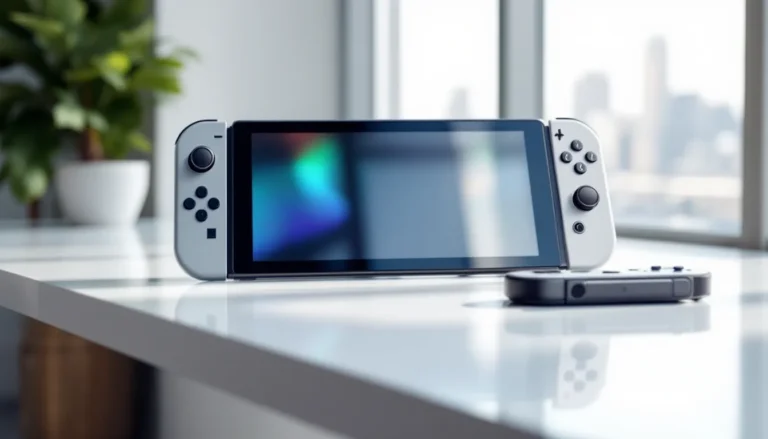
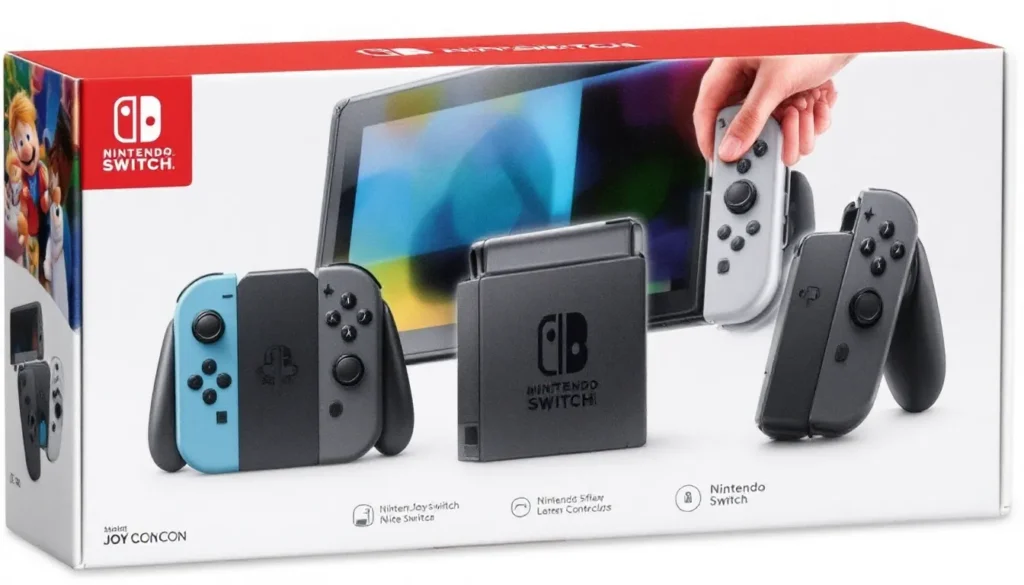
Joy-Con controllers are Nintendo‘s modular input devices that connect to the Nintendo Switch console, either mounted on the sides of the portable unit or used wirelessly across PC, mobile, and other compatible platforms. They’re designed to be versatile: each half can function independently as a standalone controller, or both can be paired together to form a traditional dual-stick gamepad.
At their core, Joy-Cons pack an impressive amount of tech into a surprisingly small package. Each controller contains an accelerometer, gyroscope, haptic motors for rumble feedback, wireless radios, rechargeable batteries, and pressure-sensitive buttons. This makes them far more sophisticated than standard gamepads, and for many Switch owners, the first real experience with modern motion controls.
Nintendo initially released Joy-Cons in two colors: red and blue. Since then, the lineup has expanded dramatically. You can now find them in black, white, pink, purple, turquoise, and several limited-edition colorways. The console also comes with two Joy-Cons by default (one red, one blue), but most serious players end up buying additional sets for multiplayer sessions or as backups.
Design and Build Quality
The Joy-Con form factor is intentionally compact. Each controller measures roughly 4 inches long and weighs about 1.3 ounces, making them ridiculously portable and easy to grip, even for kids. They’re made mostly of plastic, durable ABS plastic, but plastic nonetheless, with rubberized grip panels on the underside.
This lightweight design comes with trade-offs. The plastic exterior isn’t premium-feeling: it’s functional. After extended use, some players notice slight wear on the grips or a bit of flex in the casing. That said, countless Joy-Cons are still going strong after 6+ years of ownership, which speaks to their basic durability.
When docked on the Switch console, Joy-Cons slide onto the sides via a rail mechanism. This connection is sturdy enough for regular use but requires a gentle upward tug to remove, not so tight that it feels like you’re going to snap something, but not so loose that they rattle. The buttons themselves are clicky and responsive, though the analog sticks have proven to be Joy-Con’s greatest weakness, a point we’ll revisit later.
The charging contacts are located on the inner rail where the Joy-Con slides onto the console or into the official charging grip. This design keeps them hidden from dust and damage, which is smart. Each Joy-Con ships with a lanyard loop for handheld gaming or strap attachment, adding a safety measure if you’re worried about dropping them during intense motion-control moments.
Key Features and Functionality
Motion Controls and HD Rumble
Joy-Cons are packed with motion sensors that enable experiences you simply can’t have on a traditional controller. Each unit contains a 3-axis gyroscope and accelerometer, allowing the console to detect tilt, rotation, and movement in all directions. Games like Ring Fit Adventure, Just Dance, and 1-2-Switch lean heavily on these sensors to track your physical movements and translate them into on-screen action.
HD Rumble is Nintendo’s proprietary haptic feedback tech. It’s not just a simple buzz, the motors can create distinct vibrations that simulate different sensations. When you play Mario Party or Luigi’s Mansion 3, you’ll feel the difference between different textures, object impacts, and environmental effects. It’s eerily convincing, especially in handheld mode where the feedback travels directly through your hands.
For competitive players, motion controls matter. Games like Splatoon 3 and Mario Kart 8 Deluxe use gyro-aiming, and skilled players often find it faster and more precise than stick-aiming alone. The gyro can be toggled off in most games, but when enabled, it’s a tool that separates casual players from serious ones.
Wireless and Detachable Design
Joy-Cons connect via Bluetooth at a range of about 30 feet, which is more than enough for living room play. The wireless latency is imperceptible in most games, though competitive fighting game players sometimes note minor lag compared to wired controllers on other systems, though for Switch fighting games, it’s the standard everyone’s adapted to.
The modular design is where Joy-Cons shine for multiplayer. Two detached Joy-Cons can be handed to a friend for local co-op or competitive play without needing a second full controller. Games ship designed around this: Mario Kart 8 Deluxe, Ring Fit, and Overcooked all assume players might be using single Joy-Cons in each hand rather than traditional grips.
You can also pair Joy-Cons to a PC or Android device for some games, though compatibility is inconsistent. PC support is spotty outside of Steam, and mobile support is even narrower. Nintendo hasn’t heavily pushed this feature, which is why most Switch owners never explore it.
Joy-Con Drift Issue: What You Need to Know
Signs and Symptoms of Drift
Joy-Con drift is when the analog stick registers input without you actually touching it. Your character starts drifting across the screen unprompted, your cursor slides on its own, or your camera pans involuntarily. It’s infuriating in any game, but it becomes game-breaking in precision-demanding titles like Hollow Knight or Celeste.
Drift can start subtly, a slight twitch when you’re holding the stick neutral, or become severe enough to make certain games unplayable. Some owners experience it within weeks: others go years without a single issue. There’s no rhyme or reason, which is part of the frustration.
The easiest way to check for drift is to go to System Settings > Controllers and Sensors > Test Input Devices. Move your analog sticks around slowly. The software shows you exactly what input it’s registering. If your stick is drifting, you’ll see the cursor moving without your input.
Why Joy-Con Drift Happens
Joy-Con drift stems from a design flaw in the analog stick mechanism itself. The sticks use potentiometers, tiny variable resistors that measure the stick’s position. Nintendo’s implementation uses a specific design that, over time, experiences wear and dust accumulation inside the mechanism. The resistive material degrades, creating inconsistent readings.
It’s not user error. Heavy players are more susceptible simply because they use their sticks more, but light players get drift too. Temperature swings, humidity, and even static electricity can accelerate the degradation. Nintendo has never officially acknowledged the root cause, but reverse engineers and teardown experts have extensively documented the mechanical weakness.
This isn’t a problem unique to Joy-Cons, all joysticks eventually wear out, but Joy-Cons’ lightweight design and the scale of the problem (affecting millions of units) made it a massive PR issue for Nintendo starting in 2019. By 2020, Nintendo was offering free repairs for drift in North America and parts of Europe.
Official Repairs and Replacements
If your Joy-Cons are still under the one-year warranty, Nintendo will repair or replace them for free. Contact Nintendo Support on their website to start a claim. The process typically involves shipping your controllers in (they’ll send a prepaid label), and they’ll either fix the drift or send you replacement Joy-Cons within a week or two.
Outside the warranty window, repairs cost around $40 per Joy-Con in the US. That’s expensive enough that many owners opt to buy third-party replacements or repair the sticks themselves. Some players have had success with official repairs lasting years: others have reported drift returning months later on the same controller.
If you have multiple drifting Joy-Cons, Nintendo’s service can feel like a painful churn. Ship them in, wait, get them back, drift again in six months. For this reason, many committed Switch players keep spare Joy-Cons as backups or invest in third-party alternatives.
How to Troubleshoot and Calibrate Your Joy-Cons
Calibrating Your Controllers
Before assuming you’ve got drift, try calibrating your Joy-Cons. Calibration resets the stick’s neutral point and can occasionally resolve phantom input issues, especially if something minor has thrown off the sensors.
Go to System Settings > Controllers and Sensors > Calibrate Control Sticks. You’ll see an animated stick on-screen. Follow the prompts: move your stick in full circles, click the stick down, and let it settle to neutral. Do this for both sticks on both Joy-Cons. The calibration only takes a minute.
If calibration doesn’t fix drift, it’s likely a hardware issue, not a software glitch. But if you’ve had a Joy-Con sitting unused for months or if it’s acting up after being stored in cold conditions, calibration is always worth trying first.
Basic Troubleshooting Steps
Disconnect and reconnect. Hold the small sync button on the back of each Joy-Con for a few seconds until the lights flash. Reconnect them to your console. This clears any temporary connection hiccups.
Update the controller firmware. Go to System Settings > Controllers and Sensors > Update Controllers. Your Switch will check for firmware updates and install them automatically. Outdated firmware occasionally causes quirky behavior.
Check for interference. Bluetooth is on the 2.4GHz band, same as Wi-Fi routers, microwaves, and wireless headsets. If your console is sitting next to a router or you’re playing while someone’s microwaving food, try moving to a different room.
Wipe the sticks. Dust and debris inside the stick mechanism can cause false inputs. Turn off your console, grab a cotton swab and rubbing alcohol, and gently clean around the base of each analog stick where it meets the plastic housing. Don’t jam the swab inside: just clean the exterior seam. This surprisingly works for some drift cases.
Test with a different game. Some games are more sensitive to stick input than others. If drift only happens in one title, it might be a game-specific issue or overly strict calibration on that game’s part. Test with another title to isolate the problem.
If none of these steps resolve your issue, you’re dealing with hardware degradation, and official repair or replacement is your best bet.
Best Joy-Con Accessories and Third-Party Options
Protective Cases and Grips
If you’re using Joy-Cons regularly, a grip or case is smart protection. The official Nintendo Switch Joy-Con Grip is sold separately and provides a traditional gamepad shape, making extended gaming sessions more comfortable. It’s not a case, it’s more like a handle, but it protects the bottom and adds ergonomic support.
Third-party options abound. Brands like Nyxi, PowerA, and 8BitDo make protective cases that house Joy-Cons when you’re traveling. Some even add extra padding to the grips or redesigned button layouts. Expect to spend $15–$30 for a solid case.
For travel, a hard-shell carrying case keeps your Joy-Cons safe from drops and impacts. These are dirt-cheap (under $10) and honestly worth it if you take your Switch anywhere.
Alternative and Pro Controller Options
If you’re done with Joy-Cons entirely, the Nintendo Switch Pro Controller is the official alternative. It’s a full-sized, traditional gamepad with the same motion controls and rumble as Joy-Cons but in a more familiar form factor. The stick mechanism uses a different design that’s proven more durable, though it’s not immune to drift (just less common). It costs around $70 and is rock-solid for handheld play and docked sessions.
Third-party controllers like the 8BitDo Pro 2 and PowerA Enhanced Wireless Controller offer excellent value. The 8BitDo Pro 2 is $50 and works across Switch, PC, and mobile with multiple connection modes. PowerA’s licensed controllers run $40–$60 and are officially endorsed by Nintendo, so there’s less compatibility worry.
For competitive players, controllers matter. Fighting game competitors often prefer the Pro Controller or wired arcade-style gamepads. Racing players split between motion controls and traditional sticks. Your choice depends on the games you play and your grip preferences.
One more worth noting: the Hori Split Pad Pro is a third-party single joy-con replacement that addresses the drift issue with a different stick mechanism. They’re expensive ($50+ per half), but they’re officially licensed and some players swear by them.
Battery Life and Charging Tips
Each Joy-Con contains a 550mAh lithium-ion battery that Nintendo rates for approximately 20 hours of play per charge. In practice, most owners see 15–20 hours depending on usage intensity and whether HD Rumble and motion controls are active throughout gameplay.
Charging happens when Joy-Cons are docked on the console, inserted into the official charging grip, or connected via USB-C (on newer Joy-Con revisions). Docking on the console is the most convenient, your controllers charge whenever the Switch isn’t in your hands. A full charge takes about 3.5 hours.
For maximizing battery longevity, avoid letting your Joy-Cons fully deplete. Lithium batteries degrade faster with extreme discharge cycles. If you’re not using them for extended periods, store them at about 50% charge in a cool, dry place. Extreme heat (like a hot car) accelerates battery degradation, so keep them away from direct sunlight and high temperatures.
After 2–3 years of regular use, you might notice the battery doesn’t hold a full 20 hours anymore. This is normal battery aging. If a Joy-Con no longer holds charge (it dies within 5 minutes of removing it from the dock), the battery has likely failed and replacement is the only fix. Nintendo doesn’t officially sell replacement batteries for consumer installation: you’d need to send the controller in for service, which costs $40.
Maintaining Your Joy-Cons for Longevity
Keeping your Joy-Cons in working condition is mostly about treating them with reasonable care and basic maintenance. Here’s what actually matters:
Keep them dry. Joy-Cons aren’t waterproof. Don’t play in the rain, don’t dunk them, and definitely don’t try to dry one in the microwave. Moisture corrodes the internal circuitry and ruins them. If they get wet, power off the console immediately, let them air-dry for several hours in a warm room, then test them. Don’t use heat sources.
Avoid extreme temperatures. Cold conditions can make batteries sluggish and degrade them faster over time. Heat does the same but worse. Keep your Joy-Cons between 50–85°F (10–29°C) for optimal longevity. Your typical living room is fine: a car parked in the sun is not.
Charge regularly. Don’t let them sit unused for months at 0% charge. The battery degrades faster when deeply discharged. If you’re going on vacation or taking a break from gaming, leave them at 50% charge.
Don’t force the connections. The rail on your console and the docking mechanism on your Joy-Cons shouldn’t require force. If they’re stuck, check for debris or damage. Forcing them risks breaking the charging pins or the rail connector.
Update firmware when prompted. Nintendo occasionally releases firmware updates for Joy-Cons to fix bugs or improve compatibility. Let them update when you see the notification.
Consider a spare set. If you’re a heavy player or own your Switch for several years, having one or two spare Joy-Cons reduces stress when a pair develops drift. You can keep playing while sending problematic controllers in for repair.
Overall, Joy-Cons are solid if you treat them like the precision electronics they are. They’re not indestructible, but they’re more robust than their reputation suggests, as long as you don’t expect them to survive being tossed into a backpack with your car keys or left in a hot car.
Conclusion
Joy-Con controllers remain Nintendo Switch’s defining input device in 2026, for better and worse. They’ve enabled motion-control gaming experiences that competitors still can’t match, and their modular design makes the Switch uniquely flexible for solo and local multiplayer play. The drift issue hasn’t disappeared, but Nintendo’s repair program and growing third-party alternatives have given players real options.
If you’re considering a Switch or already own one, understanding how Joy-Cons work, what to watch for, and how to maintain them helps you make the most of your investment. Whether you stick with the official controllers or explore third-party upgrades, the ecosystem is mature enough that you’re not locked into one choice. Calibration, troubleshooting, and preventative care can extend the life of your Joy-Cons significantly. And if drift does strike, Nintendo’s still honoring repairs and replacements, though third-party options increasingly look attractive. After nearly a decade, Joy-Cons have proven their staying power as a gaming staple, even if they’re not perfect.